
804slots Pakistan – Sportsbook and Live Casino, Sharp and Straightforward
Live casino tables from Evolution, slot rooms from Pragmatic Play and PG Soft, and a sportsbook built around cricket — all in one lobby that loads fast on any mobile in Pakistan.
804slots · Pakistan
Service availability depends on eligible regions and local law. Users should check local rules before opening an account.
Your account on any screen
Whether you open 804slots on a phone during the day or switch to a desktop browser in the evening, the same account, wallet and lobby are waiting — no separate login or configuration needed.


Getting started on 804slots
New here? The account setup takes less than two minutes on mobile. Once you are in, the lobby puts slots, live tables and sports markets side by side so you are never more than one tap from what you want. If anything feels unclear, the support team is reachable through live chat at any point. Here is what to know before you start.
The lobby works exactly the same on mobile
No separate download is needed. Open 804slots in your mobile browser — Chrome on Android or Safari on iOS — and the lobby resizes to your screen automatically. Live casino streams from Evolution load without a native app because the player is served directly through the browser session. Slot titles including Slot Blast and Aviator play at the same pace on a phone screen as on a desktop. Your account wallet, transaction history and support chat are all reachable from the mobile menu without switching to another device or waiting for an app store installation to complete.

Payment methods on 804slots
Deposits and withdrawals run through the payment rails Pakistan players actually use. To add funds, open your JazzCash or Easypaisa app, send to the account number shown on the deposit screen and confirm with your PIN — the amount reflects in your wallet once the transfer is acknowledged by the payment network. Raast bank-to-bank transfers work the same way through your bank's mobile app. Debit card deposits follow the card network's own confirmation step. Withdrawal requests go through the same route you used to deposit; a wallet verification check is completed before the funds are released.
JazzCash
Easypaisa
Raast
Bank Transfer
Debit Card
Casino, slots and sportsbook in one place

Football Punter Hub

Roulette Action

Mobile Help & Support
Blackjack Showdown

Teen Patti NightFire
Football Derby Live
How your account and data stay protected
Security on the platform works across four layers — your connection, your login, your transaction records and the way your personal data is held. None of these layers is optional; they run together every time you access your account. Players in Karachi and Lahore using mobile connections get the same protection level as desktop sessions because the measures are applied at the account level, not the device level.
What is running this week
Help paths available on 804slots
If you run into a question about your wallet, a game result, a JazzCash deposit that has not reflected or anything else account-related, the support team is reachable through three routes. Pick whichever fits where you are — the chat is fastest for live issues, email works well for anything that needs a written record.
Live Chat
The chat icon sits at the bottom right of every page including inside the lobby. Start a chat and an agent connects to your session. No need to leave the game page or log in separately to reach help.
Email Support
For account queries that need documentation — wallet verification, transaction disputes or account access issues — email gives you a written thread. The support address is listed on the Help page inside your account area.
Mobile Help
The help section is fully accessible from mobile. Whether you are following up on a Raast transfer or checking the status of a withdrawal, the mobile help menu uses the same account session so agents see your wallet context immediately.
Everything 804slots has, right in front of you
From live baccarat tables and high-cap slot rooms to crash games and a cricket-led sportsbook, the full range is a single tap away once your account is open.
Five steps to get going on 804slots
Register
Open the registration form on 804slots, enter your mobile number and verify it with the OTP sent to your phone.
Deposit
Choose JazzCash, Easypaisa, Raast or Bank Transfer from the deposit screen and send the amount you want to start with.
Choose a Game
Head to the lobby, pick a category — slots, live casino or sportsbook — and open the title or market you want.
Start Playing
Your account wallet balance is right there on the screen. Place your bets or spin the reels and the wallet updates after every round.
Offers for new account holders

Open your account, complete the wallet verification step and your welcome offer is applied to the casino section of your account balance. Terms apply.
Open Your Account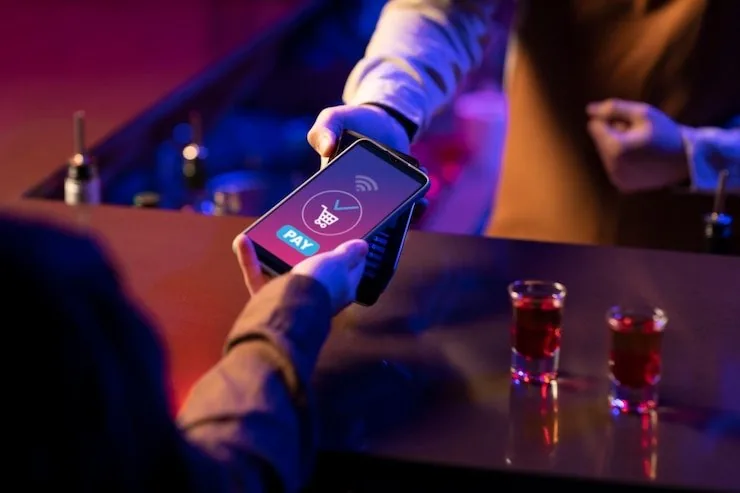
New accounts that place their first sportsbook action on cricket markets receive an entry offer credited to the sportsbook wallet. Terms apply.
Open Your AccountFrequently asked questions about 804slots
Below are the questions we get asked most often about the platform — from account setup to wallet transfers and mobile access. If your question is not here, the live chat team can answer it directly from the lobby.
How to navigate 804slots once you are in
The lobby is organised into four tabs visible at the top of the screen: Casino, Slots, Sportsbook and Live Casino. Tap any tab to switch category — your balance stays the same and your session does not reset. To find a specific game, use the search bar above the game grid and type the title; Blackjack Showdown, Teen Patti NightFire and Football Derby Live all come up in under two characters. The account area — wallet, transaction history, profile settings — is behind the icon at the top right.
Switching Between Casino and Slots
Use the top navigation tabs to move between Live Casino and Slots at any point. The session stays active across both categories so your wallet balance reflects immediately wherever you land next.
Finding a Specific Game
The search bar above the grid works across all categories. Type a partial title — 'Teen' for Teen Patti NightFire or 'Crash' for Crash Skyrise — and the matching titles appear without a full page reload.
Reaching the Sportsbook
The Sportsbook tab takes you straight to the cricket and football markets. PSL matches and international fixtures appear under the Cricket section; select a match to see available markets before placing any action.
Accessing Your Account Area
The account icon at the top right of any page opens the wallet, transaction history and profile settings. From mobile, this is the same icon — no separate menu path needed to reach your Easypaisa or Raast transfer records.